

In modern libraries, improving management efficiency and service quality is a constant challenge. RFID-based library labels have been developed precisely to tackle these issues, making inventory checks, borrowing and returns faster and more accurate – for both staff and readers.
Traditional library workflows rely on barcodes and manual handling:
- Each item must be scanned one by one.
- Inventory checks mean pulling books off shelves and checking them manually.
- Mis-shelved or missing items are hard to detect until a user asks for them.
As libraries face tighter staffing levels and higher user expectations (self-service, click-and-collect, extended opening hours), these manual processes become a bottleneck.
RFID (radio frequency identification) removes the line-of-sight restriction of barcodes. Readers can detect multiple tagged items at once, even if they’re inside a book, on a trolley, or still on the shelf, which is why HF RFID at 13.56 MHz has become a de facto standard in library systems worldwide. I
What Exactly Is a Library RFID Label?
A library RFID label is a thin RFID inlay (chip + antenna) embedded in a paper or synthetic sticker and applied to each book, journal, CD/DVD or other item.
Key characteristics:
- Frequency:
Most library deployments use HF 13.56 MHz tags; some also add UHF for fast staff-side inventory. - Standards:
ISO 28560 defines how data should be stored on library RFID tags so that different vendors’ equipment can interoperate and libraries aren’t locked in to a single supplier. - Data on the tag:
Typically a unique item ID plus optional data used by the Library Management System (LMS) for circulation, security and inventory.
Because the label is read wirelessly, it can be fully covered by a printed face (call number, barcode, logo) while still supporting automated check-in/out and security.
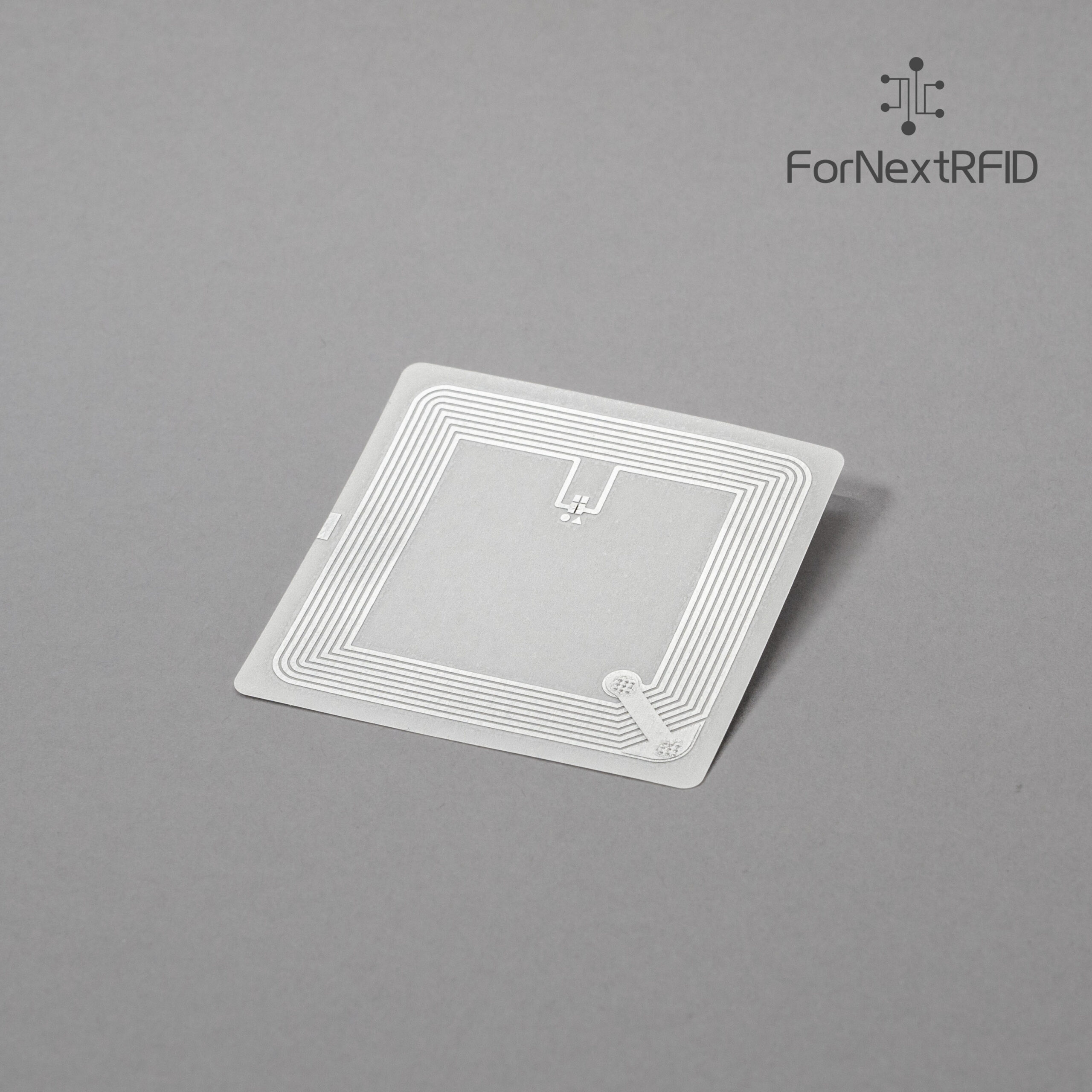
Fornext Library Label 50*50mm, ICODE SLIX2 https://fornextrfid.co.uk/product/library-nfc-label-50x50mm-nxp-icode-slix2-iso15693-pro/
How an RFID-Enabled Library Management System Works
An RFID library solution usually combines:
- Library RFID labels on each item
- RFID-enabled staff workstations
- Self-service kiosks for borrowing and returning
- Returns chutes / book drops with RFID readers
- RFID security gates at the exits
- Handheld readers for shelf inventory
- Integration with the LMS via APIs or standard protocols Iteh Standards+1
Typical workflows:
- Borrowing
- Reader places one or more books on a self-service pad.
- The reader detects all RFID tags simultaneously and sends their IDs to the LMS.
- The LMS issues the items to the borrower and sets their security status to “loaned”.
- The whole process takes seconds, with no need to scan each barcode.
- Returning
- Items are placed on a kiosk or into a return bin with an embedded reader.
- Tags are read automatically; the LMS updates status to “in library”.
- Items can be routed to trolleys or sorting systems for shelving.
- Security
- RFID security gates at the exit check each tag’s status.
- If an item hasn’t been correctly issued, the gates trigger an alarm while staff still see which title caused it.
- Inventory & shelf-reading
- Staff walk along the shelves with a handheld reader.
- The device scans dozens of items per second and flags missing, mis-shelved or unexpected items.

Operational Benefits: From Inventory to User Experience
Using RFID labels in the library management system delivers benefits on several fronts:
1. Faster, more accurate inventory
- Whole shelves can be scanned in minutes instead of manually checking items one by one.
- Mis-shelved or missing items are quickly identified, improving collection accuracy and availability. RFIDTag™+1
2. Convenient borrowing and returning
- Readers can borrow or return multiple items at once using self-service stations.
- Transactions complete in seconds, reducing queues at busy times.
- Staff are freed from repetitive scanning and can focus on support, events and outreach.
3. Improved security and loss prevention
- RFID-based gates detect un-issued items while still allowing open shelving and a welcoming environment.
4. Better data for decisions
- Continuous, accurate inventory data supports smarter purchasing, weeding and inter-library loans.
- Libraries can report on collection usage and availability more reliably, based on real-time data from RFID scans.
HF vs UHF in Libraries – A Quick Comparison
While HF remains the core technology for circulation and security, UHF can complement it for staff-side inventory.
| Feature | HF (13.56 MHz) | UHF (860–960 MHz) |
|---|---|---|
| Typical use in libraries | Check-in/out, security gates, media items | Fast inventory sweeps, back-room/shelf audits |
| Read range | Up to ~0.5–1 m (often less in practice) | Up to several metres |
| Strengths | Precise, stable reads at short range | High-speed bulk reading over larger areas |
| Standards | ISO 15693 / ISO 14443, ISO 28560 data | EPC Gen2 / ISO 18000-6C |
Many modern solutions use HF labels on items and UHF labels selectively where long-range staff scanning is useful (e.g. storage areas, archives).
Conclusion – Simpler Library Management with RFID Labels
Library RFID labels turn books, journals and media into smart, trackable assets. When integrated with the library management system, they:
- Speed up borrowing and returning
- Make inventory checks fast and reliable
- Strengthen security without harming the user experience
- Provide actionable data for collection planning
For libraries and integrators in the UK and Europe looking to move beyond barcode-only workflows, RFID is now a proven, standards-based approach. With solutions such as ForNext library RFID labels, it’s possible to design a system that is efficient today and flexible enough to evolve with future technology and service models.

